06. Run You First Test
L5 A04 Run Your First Test V2
You can learn more about Junit4 at the official documentation website.
Step 1: Run A Local Test
- Open up your project pane and find the androidTest and test folders.
Okay, time to run your first test.
- Open the test folder until you find the ExampleUnitTest.kt file.
- Right-click on it and select Run
ExampleUnitTest.
You should see the following output in the Run window at the bottom of the screen:

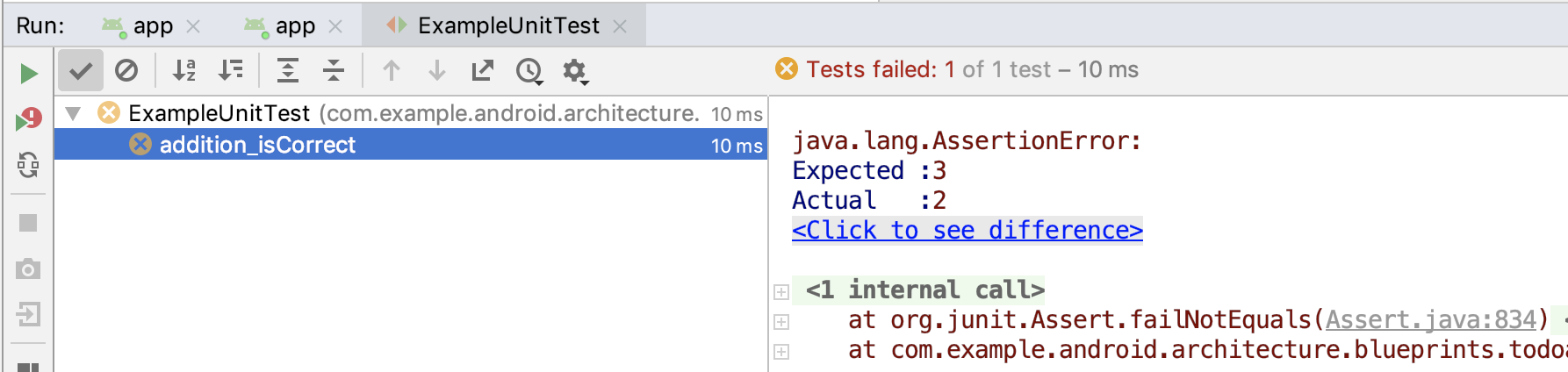
Step 2: Make the Test Fail
Let's quickly see what a failed test looks like.
- Copy over the the statement assertEquals(3, 1 + 1):
ExampleUnitTest.kt
class ExampleUnitTest {

   // Each test is annotated with @Test (this is a Junit annotation)
   @Test
   fun addition_isCorrect() {
       assertEquals(4, 2 + 2)
       assertEquals(3, 1 + 1) // This should fail
   }
}
This is checking that 3 is equal to 1 + 1. Because this is not true, this should fail.
- Run the test.
You should see an x next to the last test:
Quiz
Look at the code and answer the following questions.
1.
2. class ExampleMultiplicationTest {
3.
4.    fun check(){
5.       var result = MathUtil.multiply(2,3)
6.       assertEquals(result, 6)
7.    }
8. }